
How the image prompt generator works
- Describe the picture in a few words — a subject, a scene or a feeling. Any language works.
- Pick a style, aspect ratio or mood if you already know what you want. Leave them blank to get more variety.
- Get three prompts. Each one takes a different angle on your idea: another camera or medium, another light, another palette. Generate again for three more.
- Copy one into the image model you like, or press “Make this image” to open it in SiImageGen with the prompt filled in.
Behind the button, a language model running on Cloudflare expands your idea following the structure that image models respond to best. It takes about five seconds and costs you nothing.
What makes a good image prompt
Image models read a prompt from left to right and give the most weight to what comes first. A strong prompt therefore starts with the subject and adds detail in a predictable order. Every prompt from the generator follows this anatomy:
- Subject: who or what, with one or two concrete details (“a young woman with freckles, laughing”).
- Setting: where it happens (“in a wheat field”).
- Framing: how close and from where (“close-up portrait”, “wide aerial view”, “85mm lens”).
- Lighting: the single biggest quality lever (“golden hour, warm backlight”, “soft studio light”).
- Palette and mood: a few color words and one feeling (“muted earth tones, calm”).
- Style or medium: photo, film look, watercolor, 3D render, flat vector, poster.
- Text in the picture: in double quotes, short, and only with models that render text well.
Real prompts and the images they made
These pictures were generated on SiImageGen from the prompts printed under them, unchanged. Notice how short they are: every phrase does a job, and none of them is filler.
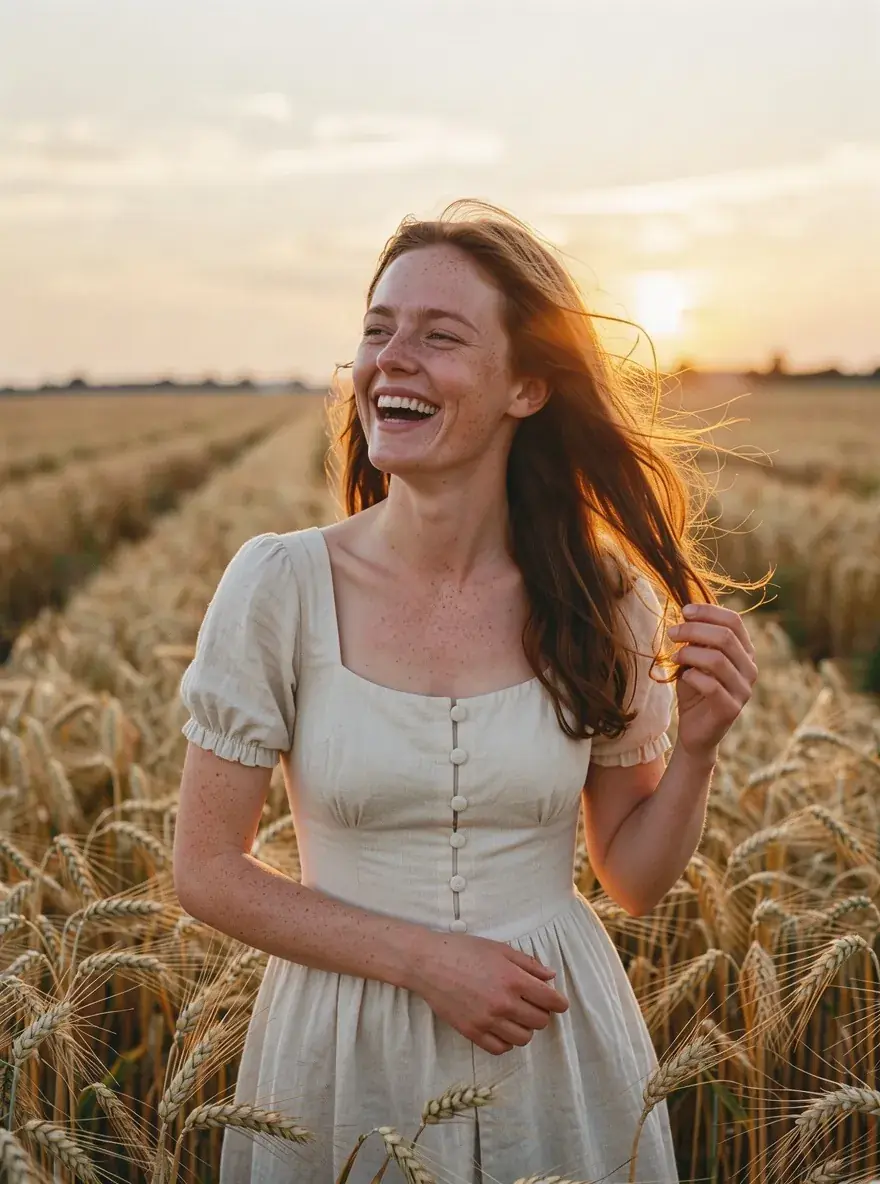
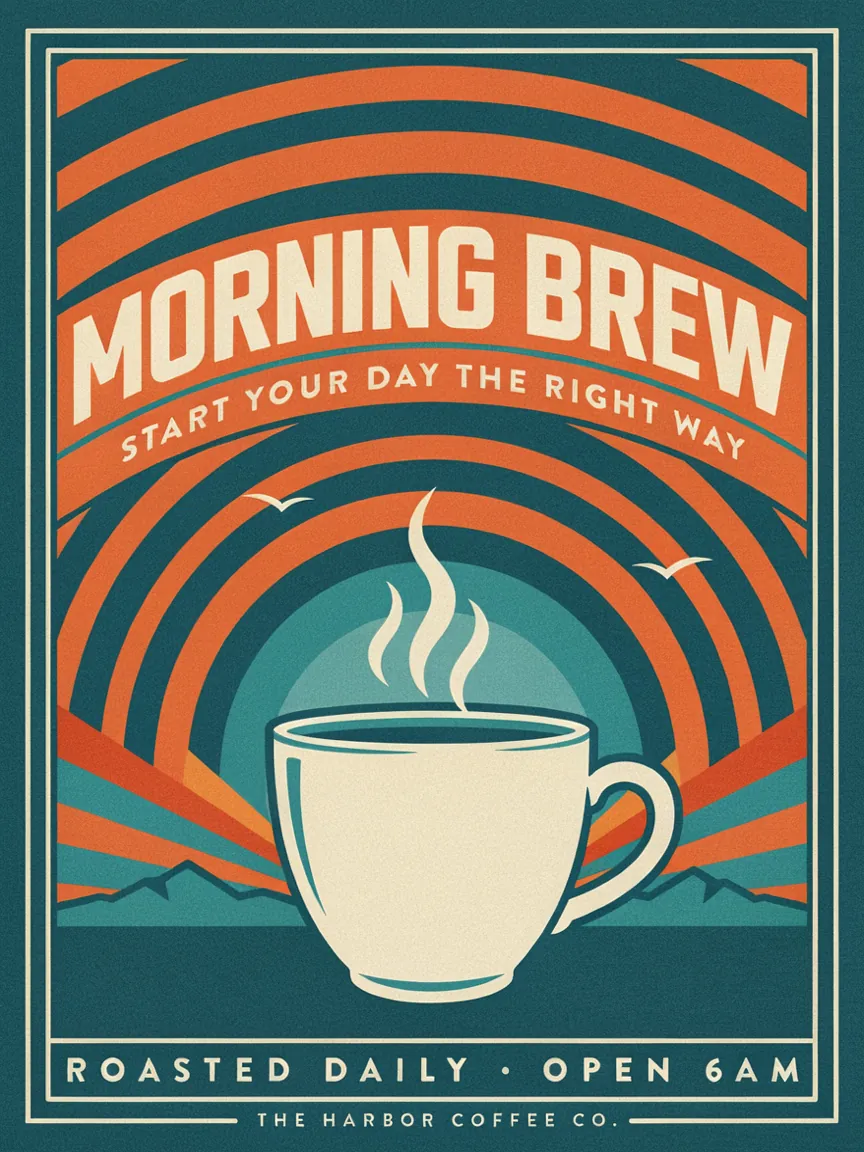
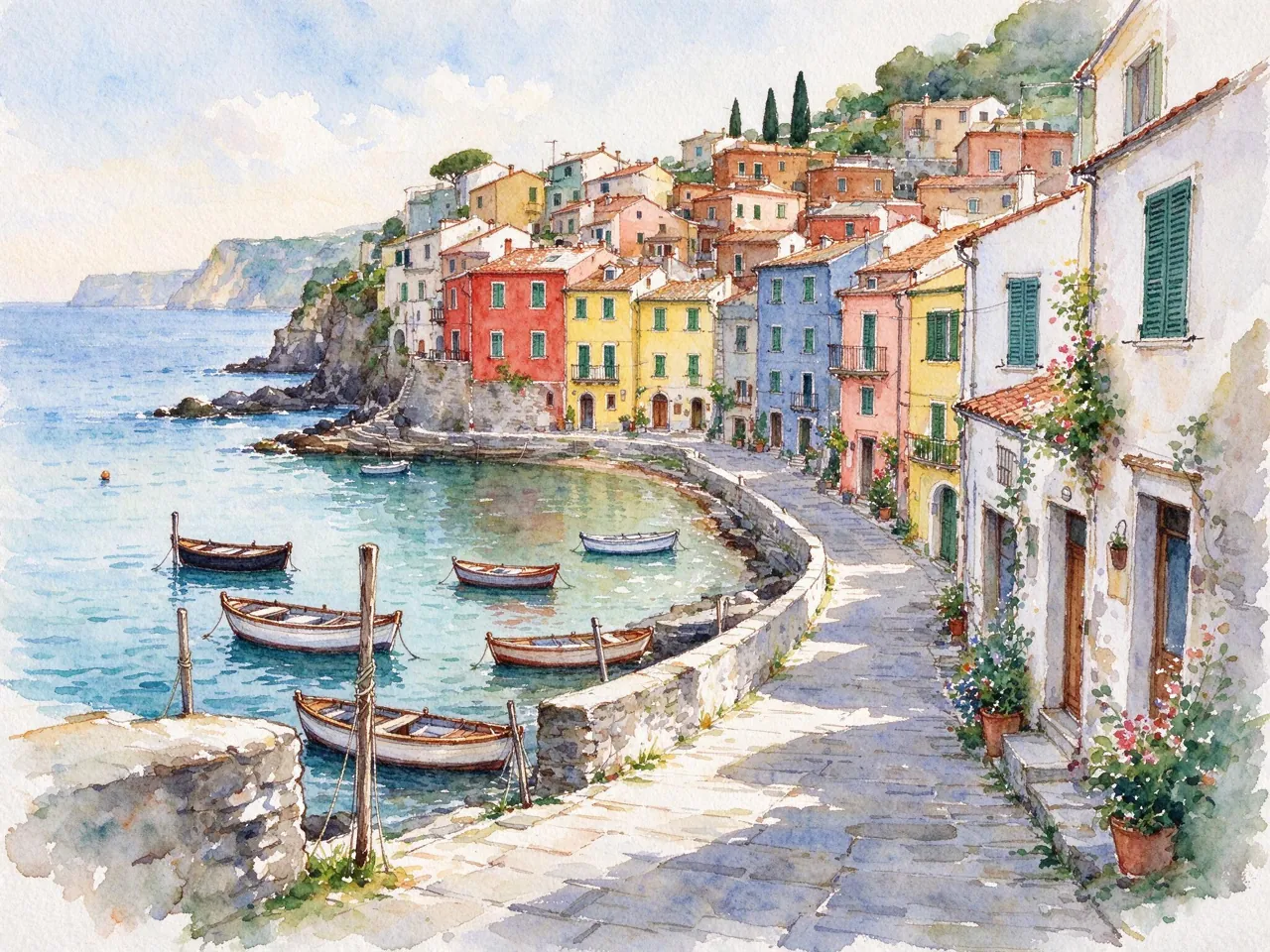
Image prompt patterns by style
The style chips in the image prompt generator change more than one word: each style has its own vocabulary that models recognize. These are the patterns the generator leans on, so you can also write or adjust prompts by hand.
- Photo: camera and lens (“35mm”, “macro”), light source (“window light”, “overcast”), and texture words such as “natural skin” or “film grain”.
- Cinematic: a wide frame, motivated light (“a single streetlamp”), atmosphere such as fog or rain, and a color grade like teal and orange.
- Anime: “cel shading”, “clean line art”, a named mood (“slice of life”, “dramatic”) and simple, saturated backgrounds.
- 3D render: materials (“matte clay”, “glossy plastic”), soft global illumination and a studio backdrop.
- Illustration and watercolor: the medium first, then paper or brush texture and a limited palette.
- Logo: “flat vector”, one simple symbol, two or three colors, a plain background and the brand name in quotes.
- Poster: a headline in quotes, a clear focal image and a layout cue such as “title at the top, large empty sky”.
Mixing styles works too: “a watercolor poster” or “an anime-style product shot” are valid ideas. Pick the closer chip and mention the other in your idea, and the image prompt generator will blend them.
Tips for each image model
- Flux 3: excels at photoreal people and products. Name the lens and the light; avoid long lists of adjectives.
- Nano Banana 2: best for editing your own photos. Describe the change and what must stay the same.
- Seedream 5: fast and cheap for drafts, strong on rich lighting and materials. Good for testing several prompts quickly.
- GPT Image 2.5: follows long, structured instructions and layouts, such as diagrams or menus.
- Ideogram 4.5: the most reliable for logos and posters with readable words.
- Midjourney: paste the prompt and add your usual parameters, such as aspect ratio and stylize.
Common prompt mistakes
The most frequent problem is a prompt that lists many unrelated adjectives — “beautiful, amazing, 8k, masterpiece, trending” — which add noise without direction. Others are describing two subjects with equal weight, forgetting the light entirely, or asking for long sentences of text in the image. The generator avoids these by design, which is why its prompts read like a photographer’s brief rather than a keyword dump. If a result still misses, change one part at a time: swap the lighting first, then the framing, then the style.
From prompt to picture
Every result has a “Make this image” button that opens SiImageGen, our SI image generator, with the prompt already in place. There you can run it on Flux 3, Nano Banana 2, Seedream 5 and seven other models from one balance, and new accounts get free credits to try it. You are never required to: the prompts work just as well anywhere else.
More free tools
Making motion instead? The video prompt generator writes shot descriptions with camera moves and sound for Veo, Kling and Seedance. Stuck on what to build next? The game idea generator pitches small browser games with a core loop, controls and a twist.
Frequently asked questions
Is this image prompt generator really free?
Yes. There is no account, no trial and no daily quota. A light per-minute limit keeps the service fast for everyone; if you hit it, wait a minute and continue.
Which image models do the prompts work with?
The prompts are written in plain, descriptive English that every modern model understands: Flux 3, Nano Banana 2, Seedream 5, GPT Image 2.5, Ideogram 4.5, Qwen Image, Midjourney and Stable Diffusion. Add model-specific flags yourself if you use them, such as Midjourney’s --ar.
Can I use the prompts commercially?
Yes. The prompts are yours to use, edit and publish. What you may do with the resulting images depends on the image generator you use and its terms.
Do you save what I type?
No. Your idea is checked by an automated safety filter, sent to a language model on Cloudflare to write the prompts, and the result is shown to you. Neither the idea nor the prompts are stored. The Privacy Policy has the details.
What does SI mean?
SI stands for super intelligence, the name the US government adopted in September 2026 for the technology formerly called AI. An SI image prompt generator is the same tool people know as an AI image prompt generator.
Questions or ideas for new tools? Write to support@freesitools.com.