
Using the video prompt generator, step by step
- Write the moment. Say who or what is on screen and what it does: “a cat nudges a mug off a desk” gives far more to work with than “funny cat video”. The prompts come back in whatever language you use.
- Set only the chips you care about. Style covers looks such as Documentary, Claymation or Music video, Camera move fixes the shot type, and Length tells the writer to plan 5, 8 or 10 seconds of action. Leave a row empty and the three versions spread out more.
- Read three takes. Within roughly five seconds you get three versions of the same moment, each with a different camera plan and mood. Press the button again whenever you want a fresh set.
- Copy one or hand it off. Paste a prompt into the video tool you already use, or press “Make this video” to open it, prefilled, in SiVideoGen.
Under the hood, your text first passes an automated safety check. DeepSeek V4 Flash, a language model running on Cloudflare Workers AI, then writes the shots, with a backup model on standby when it is busy. Nothing you type or receive is saved, and each IP address can send about twenty requests a minute, which covers any normal brainstorming session.
Anatomy of a video prompt
A still picture needs a subject and a look. A clip also needs time: something has to change between the first frame and the last, and the camera has to know where to be while it happens. That is why each result from the video prompt generator is assembled from six parts, usually in this order:
- Subject and action: one clear performer doing one clear thing, with an active verb (“a heron spears a fish”, not “a heron near water”).
- Setting: the place and the time of day, enough to pin down the background and the weather.
- Camera: the movement and the framing, for example a slow push-in from a medium shot or a low orbit.
- Lighting and mood: where the light comes from and how the scene should feel. Light that changes, such as a passing cloud, adds motion for free.
- Style: live action, documentary, anime, claymation or a glossy commercial.
- Sound: a short final line naming the ambience and one or two effects, for models that generate audio.
Keep the whole prompt about one beat long. Five seconds is roughly the time it takes to pour a drink or turn a head, so plan an action of that size.
Camera movement vocabulary
Camera words are the quickest way to make a generated clip feel directed rather than random. The first six rows below can be picked as chips in the video prompt generator; pull-out and crane you can simply write into your idea:
| Move | What the camera does | Use it to |
|---|---|---|
| Push-in | The camera glides toward the subject | Build tension or point at a detail |
| Orbit | The camera circles the subject | Show a product, dancer or statue from every side |
| Tracking | The camera travels alongside a moving subject | Follow a runner, car or animal and keep it framed |
| Handheld | Slight, natural shake | Make a moment feel live, urgent or documentary |
| Drone fly-over | High, smooth flight above the land | Set the location and show scale |
| Locked-off | The frame does not move at all | Let the action carry it: food, crafts, comedy timing |
| Pull-out | The camera backs away | Reveal the surroundings or close a scene |
| Crane | The camera rises or sinks vertically | Open wide on a crowd, or land on a single face |
Choose one move per clip. Stacking an orbit, a push-in and a crane into five seconds tends to produce wobbly, confused motion.
Three real clips and the prompts behind them
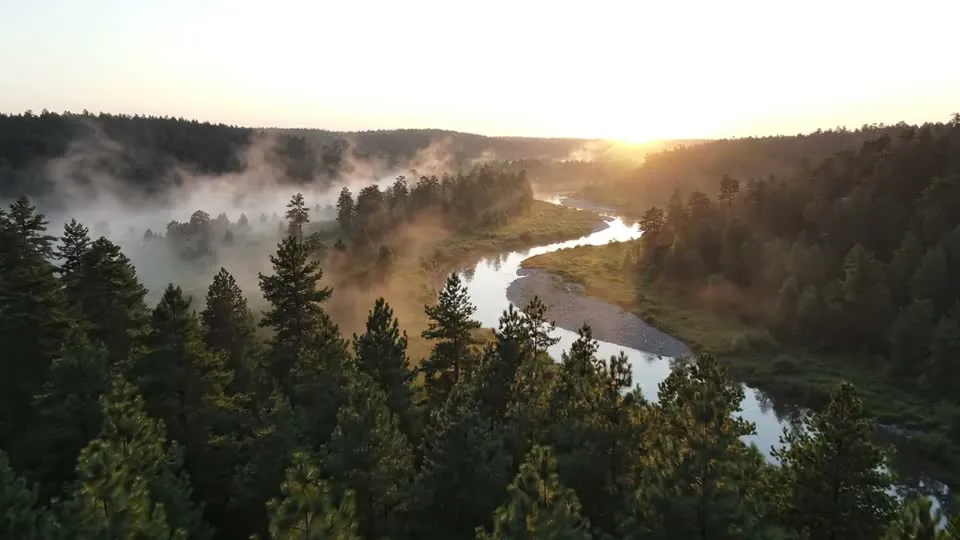
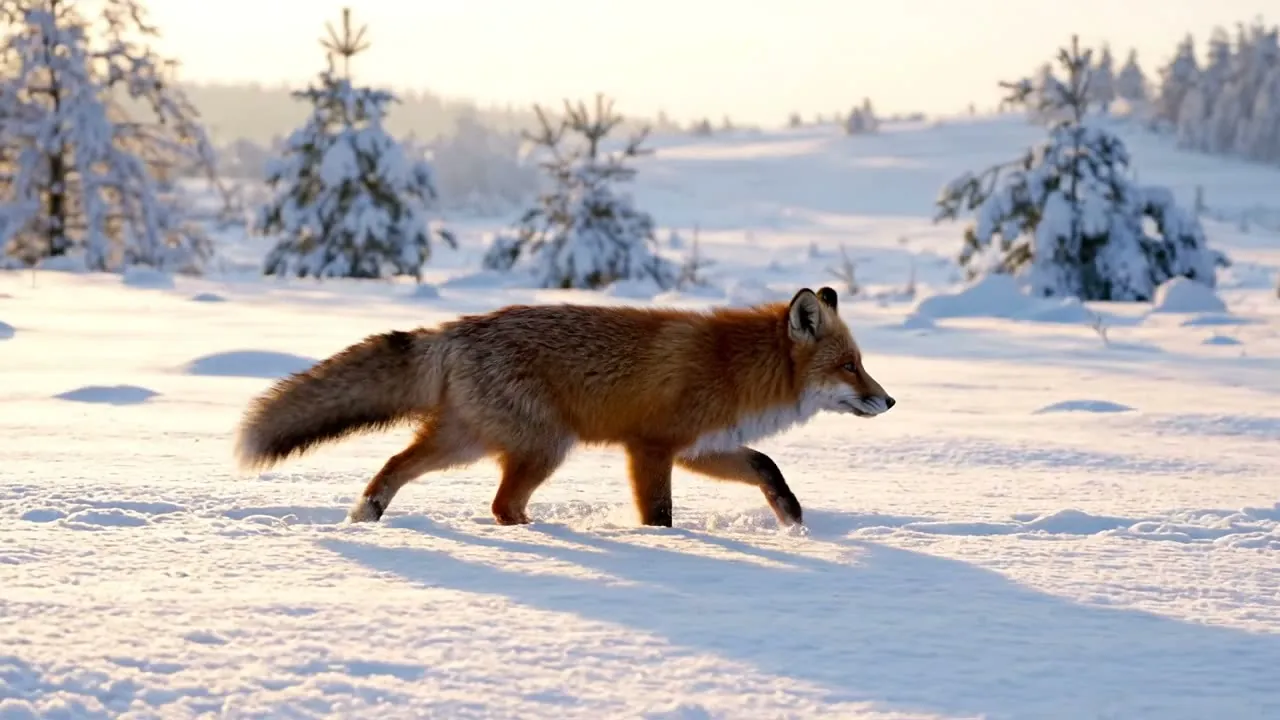
The stills below come from clips rendered on SiVideoGen with Veo 3.1 Lite, 4 seconds long at 720p. Their prompts are short, hand-written template prompts quoted exactly; set them beside the longer, sound-aware text the video prompt generator writes and you can see what the extra detail adds.

Prompt tips for Veo 3.1, Kling 3.0, Seedance 2.0 and Wan 3.0
- Veo 3.1: Google’s model listens closely to camera and lighting language and can render sound with the picture, so keep the audio line. Its clips top out at 8 seconds, so pick 5 or 8 in the Length row.
- Kling 3.0: strong on physical motion like running, dancing and sport. Describe the movement precisely and keep the camera simple so the action stays readable.
- Seedance 2.0: ByteDance’s model handles cinematic scenes with native audio and can cut between several shots in one clip. If you want a single continuous take, say so.
- Wan 3.0: Alibaba’s model gives smooth, steady motion with optional sound. Plain, literal wording usually works better than poetic phrasing.
- Silent models: prompts from the video prompt generator are ordinary sentences, so they work in other video tools too. Delete the sound line when a model cannot produce audio.
Common mistakes in AI video prompts
- Too many actions. “She wakes up, makes coffee, walks the dog and drives to work” is a montage, not a five-second shot. Keep one beat and generate the rest as separate clips.
- No camera direction. Left to itself, a model picks a default move, often a slow drift that looks generic.
- Two subjects competing. Decide whose shot it is; the other one becomes background.
- Negative wording. “No people in the background” can plant the very thing you want gone. Describe the empty street instead.
- Signs and logos. Lettering in motion often comes out garbled. Keep text out of the frame and add titles during the edit.
- Ignoring the clock. A sky going from night to full day will not fit into five seconds unless you ask for a time-lapse, so choose a smaller change.
From prompt to finished clip
Each result from the video prompt generator carries a “Make this video” button. It opens the create page of SiVideoGen, our SI video generator, with the prompt already typed in, so all that is left is choosing a model, a length and a resolution. Rendering there needs an account: Veo 3.1, Kling 3.0, Seedance 2.0, Wan 3.0 and several more share a single credit balance, and a new account made with Google receives free credits for a first short clip. Pasting the text into another service works just as well; the free tool never depends on it.
Other free tools here
For stills, the image prompt generator drafts detailed prompts for Flux, Seedream and other picture models. Planning something interactive instead? The game idea generator pitches three compact browser games, each with controls, a twist and a prompt ready to build.
Video prompt generator FAQ
How much does the video prompt generator cost?
Nothing at all. You do not register, buy credits or hit a daily cap. Sending many requests within a single minute from one connection triggers a short pause, and that is the only restriction.
Can I choose the aspect ratio or resolution?
Not on this page. A prompt describes what happens in the shot, and that reads the same for 16:9, 9:16 or square. Frame size and resolution are settings in the video tool you render with.
Do the prompts suit image-to-video?
Mostly. When you animate a photo, the model already sees the subject and the place, so keep the action, camera and sound parts of a prompt and trim the lines that describe appearance.
Can I type my idea in Spanish, Japanese or another language?
Yes, and the prompts come back in that language. Many video models still follow English most reliably, so if a non-English result drifts, try the same idea in English.
Is an SI video prompt generator different from an AI one?
Only in name. Since September 2026 the US government says SI, for super intelligence, where it used to say AI, and this site follows that usage. Searching for an AI video prompt generator leads to the same kind of tool.
How you may use the tool is set out in the terms of service, and the privacy policy explains how each request is handled. Got a prompt that missed, or a camera move you want added? Send it to support@freesitools.com.